
Brawl Stars Support in 2026: My No-Nonsense Guide to Getting Help Fast
Need Brawl Stars support? Contact customer support fast via in-game help, official site, or developer escalation.
I hit a snag in Brawl Stars last week—an account hiccup that nearly sent me back to square one—and it reminded me why Supercell’s support pipeline still matters in 2026. I’ve been playing this strategy game for years, and the core loop is as addictive as ever: real-time multiplayer battles, a deep roster of Brawler characters with special skills and traits, and the simple joy of reducing an opponent’s health to zero before they do the same to you. The game offers solo and team-based modes, challenges, and level-based unlocks for new Brawlers, and it has stayed near the top of the download charts for good reason. But let’s be real: bugs, account issues, and in-app purchase queries still happen, and the need to contact customer support has kept rising. So here’s my first-hand, 2026-ready playbook for getting help without jumping through hoops.
The Short Version: Three Routes, One Goal
If you’re in a hurry, here’s the TL;DR. Supercell still offers three main ways to reach Brawl Stars support, and each one has its own sweet spot.
| Route | Best for | My take |
|---|---|---|
| In-game Help & Support | Most bugs, account questions, purchase issues | Fastest and most natural; my go-to |
| Official support website | Login problems and FAQ browsing | Handy when the game won’t cooperate |
| Developer team direct | Escalations and community follow-up | The hail mary; use it politely |
Route 1: In-Game Help & Support Is Still My Go-To
When I hit a snag, I don’t panic. I launch the game, wait for the home screen to load, and follow the same steps I’ve used for years. They’re simple, and they still work in 2026.
-
Tap the three-line bar in the top right corner of the screen.
-
From the drop-down menu, navigate to Settings.
-
Under Settings, find and tap Help and Support.
-
Browse the FAQ categories first—many common questions are already answered there.
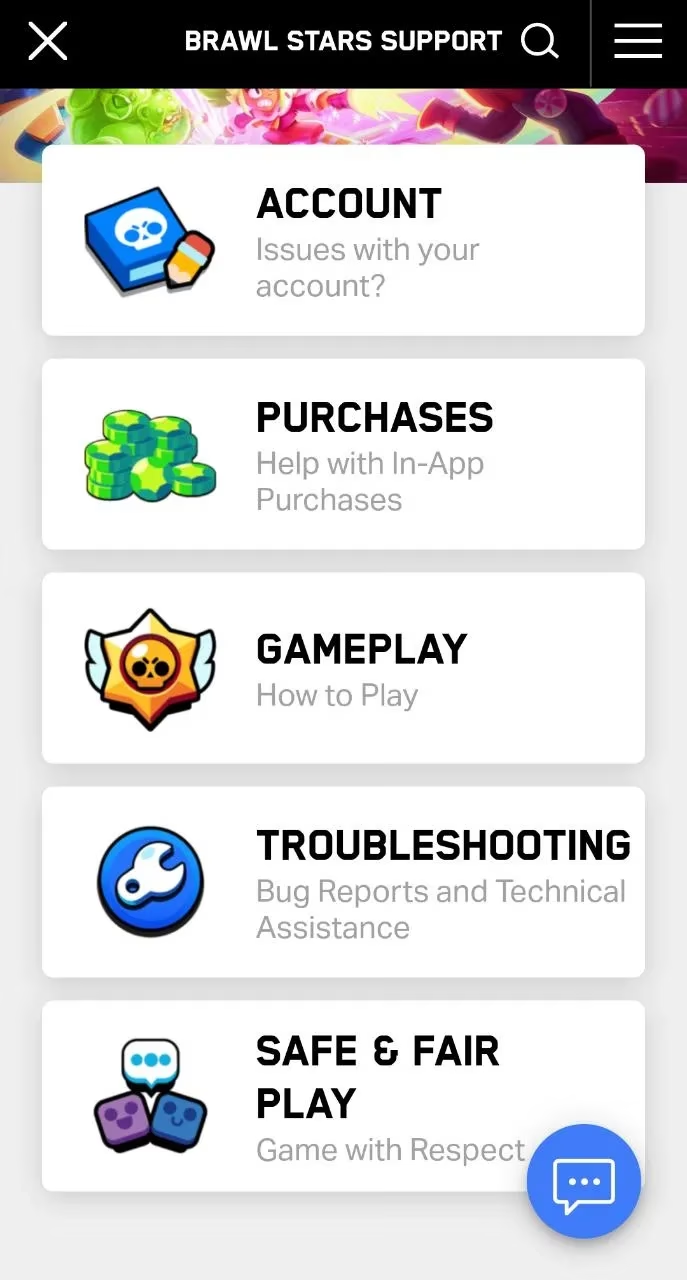
If the FAQ doesn’t solve your problem, don’t sweat it. You’ve got two solid alternatives inside the same support area. The first is opening a Support Case. Here’s how I do it:
-
Navigate to any category and tap any question under that category.
-
Look for the message/chat icon in the bottom right corner and tap it.
-
Choose Open a Support Case from the four options: Lost Account, Report a Bug, Share Feedback, and Open a Support Case.
-
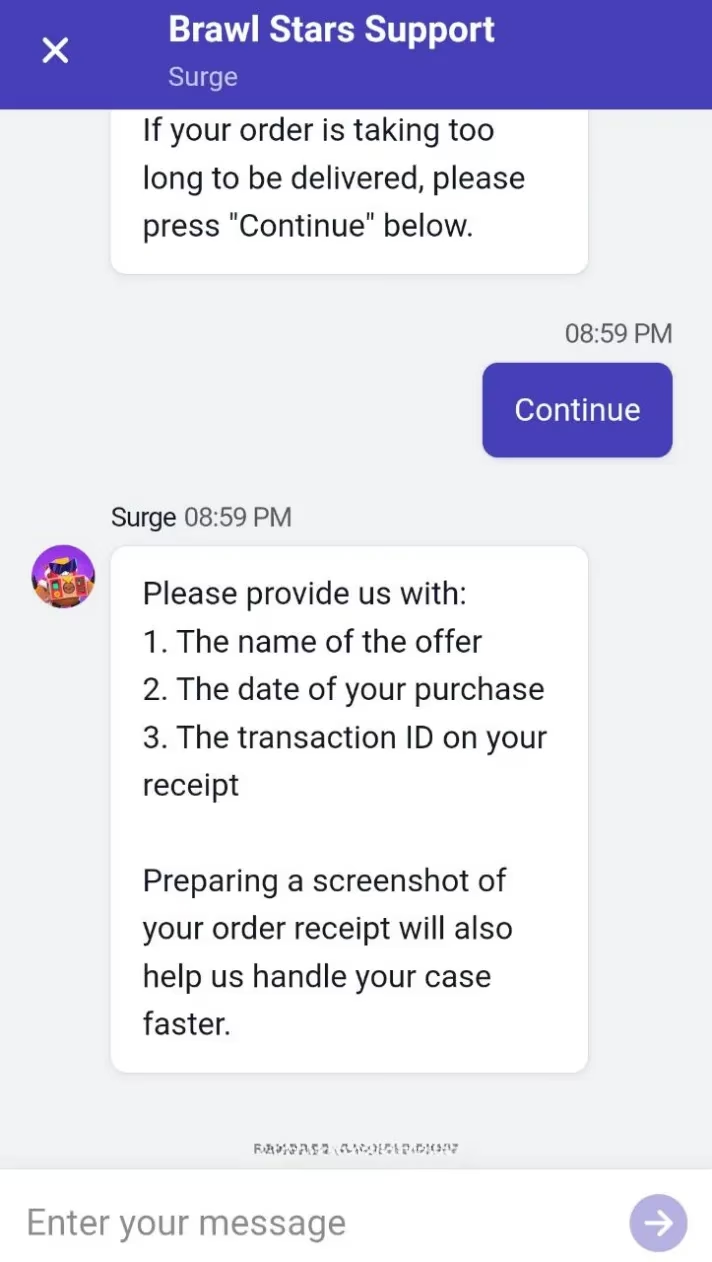
A chatbot greets you and offers categories. Pick the one that fits your issue.
-
Provide more details and screenshots if asked, and keep the chat going until you’re sorted.
Pro tip: even though the message/chat icon can appear under the Brawl Stars Support page, you must first navigate to a query. Otherwise, the Open a Support Case option won’t be available. That little detail tripped me up once, and I wasted a few minutes feeling like a rookie.
Route 2: The Official Support Website Saves the Day When Login Fails
Sometimes the in-game route is a no-go—especially if you’re locked out of your account. That’s when I switch to the official Brawl Stars help website. It’s a clean alternative, and it gives me access to the FAQ section by category. If my issue is still unresolved, I fill out the Contact Form. On that page, I scroll down and tap the Contact Us link. The form asks for:
-
Preferred language of communication
-
The category of my issue from a drop-down list
-
My account name
-
My email address
-
A detailed description of the issue
I always include screenshots and my player tag when possible. It’s not glamorous, but it helps the support team get on the ball faster. In my experience, the more specific you are, the less likely you are to get ghosted by an automated reply.
Route 3: Reaching the Developer Team Directly
If I’m really stuck, I reach out to the developer team directly. You can mail the team at [email protected]. You can also use social media: @BrawlStars is the support Twitter handle for player queries, and @supercell is the official Facebook ID for Supercell. I also follow up on the Discord server, where tons of passionate fans help each other resolve queries. That community angle is underrated—sometimes another player has already cracked the code.
That said, I keep my expectations realistic. Direct developer contact is the hail mary, not the first down. Be polite, be clear, and don’t spam. Smooth sailing comes from good manners and good details.
Reporting a Bug: Quick, Automated, and Worth Doing
If your issue is a bug, report it properly. Tap the message/chat icon in the bottom right corner, choose Report a Bug from the four options, write your exact issue in detail, and hit Submit. Note that this is an automated service, and you won’t get a response. If the issue persists after a week, send another bug report. I’ve done this twice, and while it’s not exactly a chat with a human, it does put the issue on the radar.
What I Learned in 2026
Support has improved, but it still rewards preparation. The in-game chatbot is more polished than it used to be, and the FAQ covers a lot of ground. Still, account issues and purchase queries need receipts, screenshots, and clear timelines. My advice: keep your cool, gather your evidence, and use one issue per ticket. That’s the best bang for your buck if you want a faster reply.
Quick Tips for a Faster Reply
-
🎯 Be specific: include your player tag, device, and what you expected to happen.
-
📸 Attach screenshots or receipts when money or account access is involved.
-
🧾 Keep purchase receipts handy for in-app purchase queries.
-
🕒 Follow up after a week if a bug report goes unanswered.
-
📬 Check your spam folder if you’re waiting on an email response.
-
🙏 Stay polite—support teams deal with a lot of noise.
At the end of the day, Brawl Stars is still a blast, and Supercell’s support routes are there when the fun hits a speed bump. I’ve used all three, and I’ll keep using them. Happy gaming—and may your next support case be smooth sailing.